If you feel like the world has gotten a lot more complicated — you’re right.
Between smarter burglars, porch pirates, and cybercriminals using artificial intelligence (AI), “security” in 2025 now means protecting your home, your business, and your data all at the same time.
The good news: modern security systems are more powerful and easier to use than ever. The bad news: the threats are getting smarter too.
In this week’s blog, we’ll break down what’s new in:
- Residential security systems
- Commercial security systems
- Cybersecurity
All in everyday language, with clear takeaways you can act on.
The Big Picture: Security Is Smarter and More Connected
A few quick facts to set the stage:
- Smart cameras and connected alarm systems are now common in both homes and businesses.
- More people are using mobile apps to control locks, lights, and alarms from anywhere.
- Criminals are also using technology and AI to get better at what they do.
In plain English: smart security has become normal, not “fancy.” The real question now is whether your home or business is using these tools wisely — or not at all.
Residential Security: From “Noisy Alarm” to Smart Digital Guard Dog
Home security has changed more in the last few years than in the previous twenty. Here’s what actually matters to homeowners.
1. AI-Powered Cameras: Fewer False Alarms, Smarter Alerts
Old motion sensors would alert you every time a branch moved or a cat wandered by. Newer cameras use AI to tell the difference between people, pets, cars, and general motion.
That means:
- Fewer “nuisance notifications”
- More reliable alerts when someone is actually on your property
- Better ability to review footage (for example, “show me all the people at the front door between 10 pm and 6 am”)
2. Everything Is Connected: Doorbells, Locks, Lights, and Alarms
Modern systems can tie together:
- Video doorbells
- Smart locks
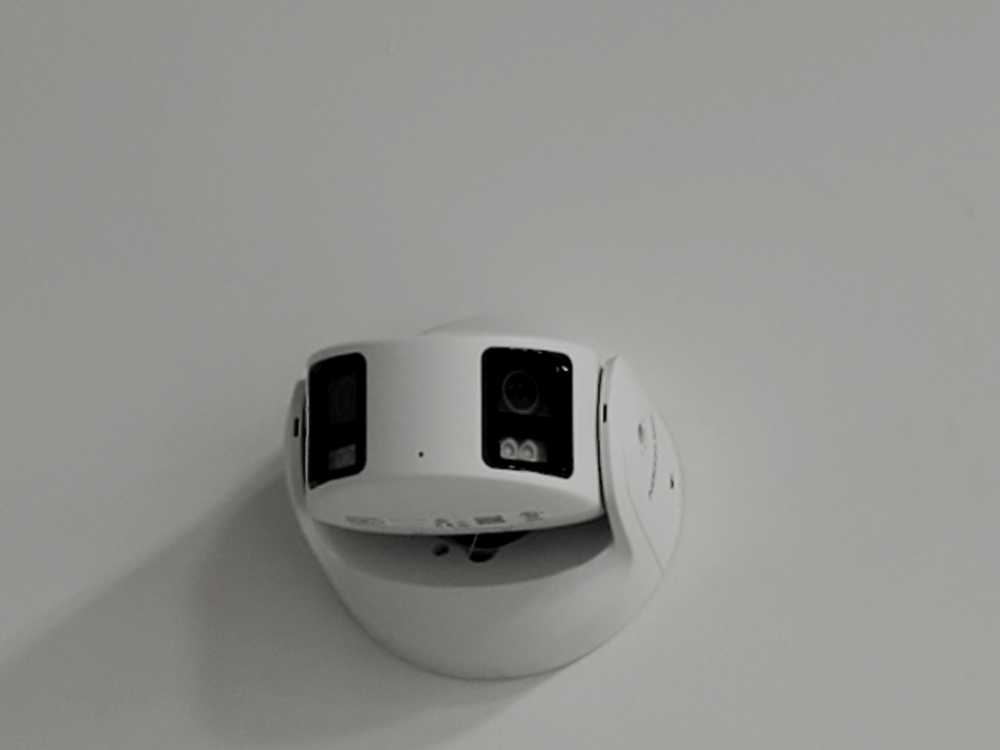
- Indoor and outdoor cameras
- Motion and glass-break sensors
- Smart lights and even garage door openers
When these devices talk to each other, you can:
- Lock your doors and arm your system automatically at night
- Turn on lights when motion is detected in the driveway
- Get a video clip every time a package is dropped off
3. Professional Monitoring Still Matters
DIY systems are popular, but they also put all the responsibility on you:
- Your phone must be charged
- You must be in cell or Wi-Fi range
- You must decide in the moment if something is an emergency
Professionally monitored systems add a layer of backup: trained operators respond 24/7, verify alarms, and contact police or fire when needed. For many families, especially those with children or elderly relatives, that peace of mind is worth it.
What Homeowners Should Do in 2025
- Upgrade to smart cameras with AI detection so you’re not constantly chasing false alarms.
- Connect your devices (locks, cameras, alarm, lights) into a single app or platform where possible.
- Use professional monitoring if you travel, have kids, or simply don’t want to manage emergencies alone at 2 a.m.
- Secure your Wi-Fi (strong password, updated router) — because if someone breaks into your network, they can potentially mess with your cameras and smart locks.
Commercial Security: Cloud-Based, Unified, and AI-Driven
On the business side, physical security is undergoing a major upgrade.
1. Unified Security Platforms
Instead of separate systems for doors, cameras, alarms, and visitors, many companies are moving to unified platforms that bring everything into one dashboard.
These platforms can:
- Show you who badged in and what camera saw them
- Trigger alarms or lock doors automatically based on events
- Generate reports for compliance and audits
2. Cloud-Based and Mobile Access Control
Key trends in commercial access control include:
- Cloud management (manage doors and schedules from anywhere)
- Mobile credentials (employees use their phone instead of a plastic badge)
- Touchless / “wave to open” readers
- In some environments, biometrics such as facial recognition
This makes it easier to:
- Add or remove access instantly
- Grant temporary access to contractors
- Track entry/exit without juggling stacks of keycards
3. AI Video Analytics for Real Security — Not Just Recording
AI is now used heavily in commercial video systems to:
- Detect unusual behavior (loitering, running, fights, etc.)
- Count people and track occupancy
- Spot vehicles parked where they shouldn’t be
- Alert staff in real time instead of just recording evidence
For business owners, that means your system can actually help you prevent problems — not just record what went wrong after the fact.
What Business Owners Should Do in 2025
- Review your access control: are you still using keys or outdated cards? Consider cloud-based access with mobile credentials.
- Unify systems where you can (doors, cameras, and alarms under one pane of glass).
- Add AI analytics to key camera locations (entrances, parking lots, loading docks).
- Schedule an annual security review to update camera coverage, door schedules, and alarm procedures.
Cybersecurity: The Threats Are Getting Smarter (and Cheaper) for Criminals
Physical security is only half the battle. Cybercriminals are aggressively going after homes and small businesses — and they now have AI as a force multiplier.
1. Phishing and Ransomware Are Still the Top Problems
The biggest cyber threats are still:
- Phishing — fake emails, texts, and websites
- Ransomware — criminals locking up your files and demanding payment
In many of these attacks, criminals trick people into revealing usernames, passwords, or even 2-step verification codes.
2. Criminals Are Now Using AI Too
AI is making life easier for attackers by helping them:
- Write convincing phishing emails with perfect spelling and grammar
- Generate fake websites that look exactly like your bank or favorite store
- Create fake audio or video to impersonate bosses, vendors, or family members
- Automate attacks to run 24/7 at massive scale
That means the old advice — “just look for typos and bad grammar” — is no longer enough.
3. Basic Cyber Hygiene Is Now a Must
You don’t need to be a tech expert, but you do need to do the basics:
- Strong, unique passwords
- Multi-factor authentication (MFA)
- Regular updates for computers, phones, routers, and cameras
- Backups of important data
Cyber Safety Checklist for Homes and Small Businesses
- Turn on multi-factor authentication (MFA)
- For email, banking, payroll, social media, and any remote access system.
- This adds a code texted to your phone or generated by an app, making it much harder for criminals to log in even if they steal your password.
- Use strong, unique passwords and a password manager
- Never reuse the same password across multiple accounts.
- A password manager can remember them for you.
- Update everything regularly
- Computers, phones, routers, cameras, NVRs, and alarm panels.
- Updates often fix security holes that attackers rely on.
- Back up your critical data
- For businesses: accounting, customer lists, contracts, and key documents.
- Use both cloud backup and at least one offline copy if possible.
- Train your people
- Teach staff and family members how to spot suspicious emails, texts, and phone calls.
- For money transfers or sensitive requests, always verify using a second channel (call the person or vendor on a known phone number).
Putting It All Together: A Layered Security Plan for Normal People
You don’t need to become a security expert. You just need to think in layers:
1. Physical protection for your home
- Smart, AI-enabled cameras
- Good locks and door hardware
- Professionally monitored alarm system
- Well-lit entrances and driveways
2. Physical protection for your business
- Cloud-based access control with mobile credentials
- Unified cameras, alarms, and door control
- AI analytics watching key areas, not just recording
- Clear procedures for opening, closing, and emergencies
3. Digital protection for everyone
- Strong passwords + MFA
- Regular updates and backups
- Basic security awareness for employees and family
- A plan for what to do if something goes wrong (who to call, what to shut down)
If it feels overwhelming, start small: pick one upgrade in each category — home, business, and cyber — and knock those out first. Once those are in place, you’ll already be far ahead of the average household or small business.
If you live in the Metro Atlanta area and want help choosing the right options for your home or small business, our team at American Guardian Security Systems can design a solution that fits your needs and your budget—without confusing tech talk.
American Guardian – Atlanta’s Premier Security Provider
For the most competitive pricing on commercial and residential security call American Guardian at (770) 446-9577.
American Guardian: Superior Products, Unparalleled Service
Protect Your Home with Smart Security: Benefits of Having a Security Monitoring System
Currently there are new federal guidelines that are taking shape to eliminate the terrible passwords that many of us are guilty of using. These new guidelines instruct organizations to
stop requiring people to change their passwords so frequently, to stop mandating that they be complex, and, at the same time to permit a broader range of special characters in passwords. That will include emojis.
In the latest digital-authentication guidelines, The National Institute of Standards and Technology, the federal agency whose security standards shape best practices across governments and industry, is moving on organizations to simplify password requirements for users.
There arc now draft guidelines ni place, a final version which is due ni 2025, wil strengthen many rules that the standards instituted first enacted back in 2017.
Federal agencies currently must follow these guidelines. This includes government contractors that have access to secure government information systems and many state and local governments normally adopt them as wel. This according to Andrew Regenscheld, the Manager of the institute’s cryptographic technology group.
These standards are also routinely followed by many major companies, most importantly those in highly regulated sectors such as healtheare and finance.
The common goal si to make passwords more user friendly without compromising security. This new development can also prove extremely beneficial in the life safety and home security fields. Research has shown that strict rules on passwords can often backfire. People will sometimes
develop predictable patterns just to meet the requirements. For example, when people are required to change a password and add a special character they wil go from “12345” to “12345”! When they are forced ot use capital letters People wil typically put it at the start of their original password.
American Guardian’s New Year Sale
For the competitive pricing on #AtlantaSecuritySystems or #SecuritySystemsAtlanta call American Guardian at (770) 446-9577 or visit their website at www.americanguardian.com.
Currently, during their Founders Day Sale, you will receive two free Google Nest WiFi Video cameras when you activate your new security system through American Guardian.
Certain restrictions apply. This offer applies to homeowners only.
American Guardian: Atlanta’s Security Technology Leader
For the latest security and video cutting-edge, state-of-the-art technology, call American Guardian, Atlanta’s technology leader.
American Guardian: Superior Products, Unparalleled Service